
You’re looking at your finished portrait. The light is flattering, the background is clean, and then you wonder: did AI do something to my face? I’ve seen that question in online discussions. Clients rarely ask this out loud, so I'd rather explain my approach before anyone has to. Yes, I use AI in my photography business. Here’s what that means for your photograph.
It starts before the editing
Depending on which camera I’m using, machine intelligence can help find an eye and keep it in focus. With a dog who considers sitting still an unreasonable request, that help matters. I can pay more attention to the dog’s expression while the camera helps keep the eye sharp. After the session, I develop the RAW files into finished photographs. That involves decisions about brightness, color, contrast, and where your attention goes. Some of the tools I use can recognize the subject or background and help me make those adjustments more precisely.
Computer assistance has been part of digital photography for a long time. Generative AI, which creates replacement content, adds a different capability. Calling all of it “AI” tells you very little about what happened to your portrait. The useful question is what I changed.
A small tear in the paper
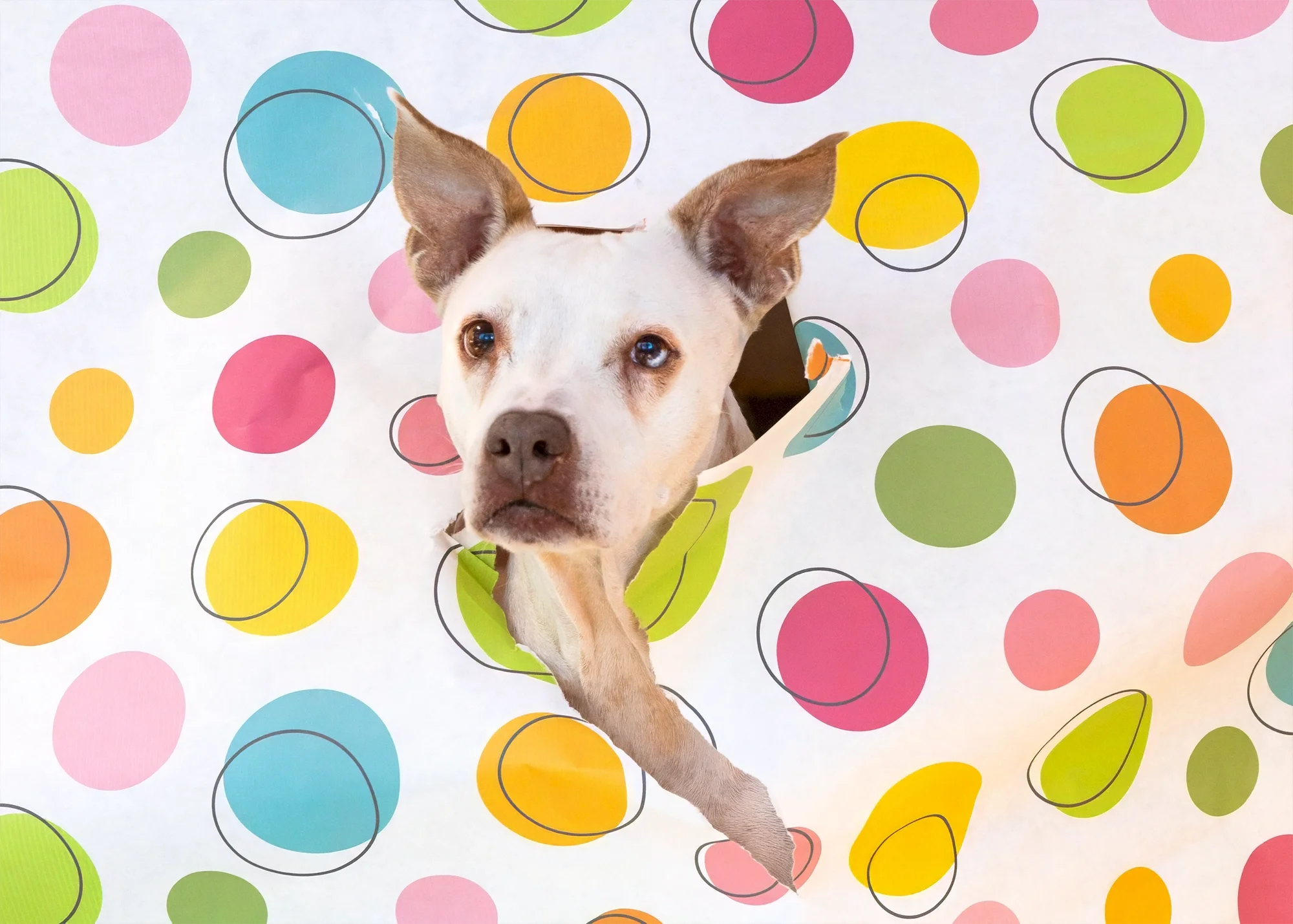
Before the generative edit.
Look at the photograph of Birdy poking through the colorful paper backdrop. Her head made it through and you can see down to part of her chest. Above her ear, there’s a small, unintended tear extending into the blue circle.
In the second version, I used a generative healing tool to repair that tear.
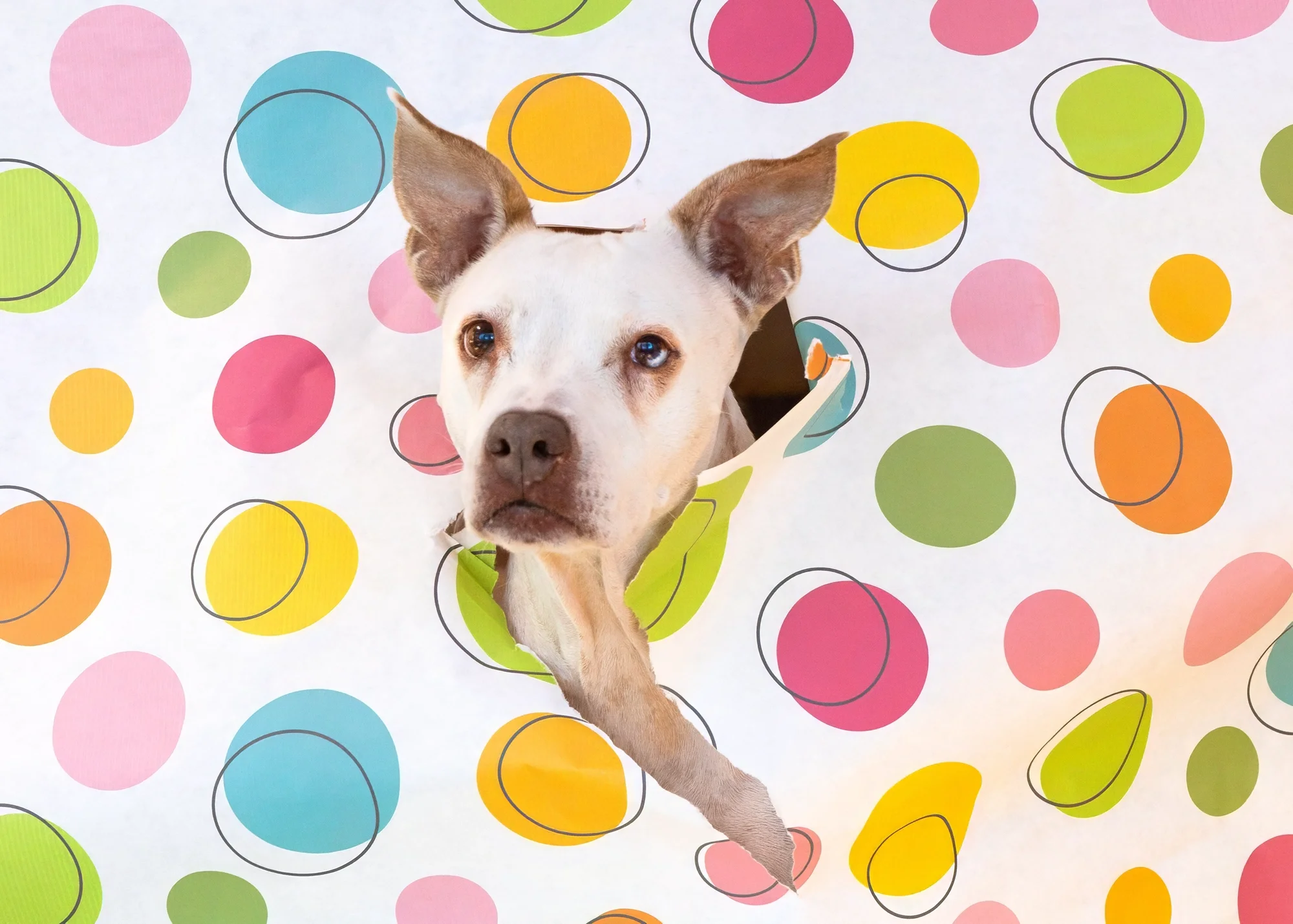
I used generative AI to repair the small tear in the blue circle above Birdy’s ear. Her face, expression, ear, and wonderfully committed front leg are unchanged.
I could also have repaired that spot by copying nearby paper over it. The difference is that this tool generated the replacement patch. I chose the area, checked the result, and decided whether to keep it. Sometimes doing it by hand still works better, while other times, a combination of tools allows me to create the best result for my clients. That little patch of paper is generated content. It's a small repair, and I'm always happy to point out where I used it. Birdy, as always, supplied her own performance.
What I change, and where I stop
I remove distractions: a temporary blemish, eye boogers on a cat, paw prints on a studio background, or a leash that helped keep a dog safe during the session. Depending on the photograph, I may use traditional retouching tools or a generative tool to do that work.
I’ve shown examples in Can You Edit Out a Leash? The leash stays on when it’s needed. Removing it afterward lets the finished portrait hold your attention on the dog. For headshots, my standard is the same regardless of which editing tool I use. I want you to look rested, comfortable, and recognizable. A temporary blemish can go. Your face should still be yours. I explain that more fully in Can a Photographer Make You Look Better Without Making You Look Fake?
In my portrait work, I'm photographing a real person or animal. I may repair a distraction, as I did in Birdy’s backdrop, but I don’t replace the subject whole cloth with an AI-generated likeness. I will also never present a generated image as a photograph I took. If you’re weighing a generated headshot against a portrait session, I’ve written about that decision in Is a Professional Headshot Worth It If You Only Need LinkedIn?
I also use AI for parts of running the business, including planning, paperwork, and help drafting written material. What I publish reflects my thoughts, and I’m responsible for it. When I use a retouching service, the photographs are held to the same standards I apply myself.
Can you check the file?
Some files include Content Credentials describing how they were made or edited, including the use of generative AI. You can examine that information with Adobe’s Content Authenticity viewer when it’s available. In my own testing, an AI-edit disclosure stopped appearing in the viewer after the photograph passed through another editing program, even though information about the edit remained in the file. A missing label doesn’t tell you that no AI was used.
Your photograph, your questions
I know concerns about AI extend beyond photo editing, including questions about water, electricity, and public participation. I’ve written about that in When I say I use AI, what do people hear? Here, I want you to know what happens to the photograph you entrust to me.
The person in your portrait is the person who stood in front of my camera. The dog is your dog, with the expression I waited for and the personality you recognize.
If you prefer that I avoid generative AI in editing your photographs, tell me before the session so I can plan around that preference. If another use concerns you, tell me which one. You don’t need to know the software or have the terminology right.
Before the session or after you’ve seen the finished photographs, ask me what I changed. I’ll tell you, because when it comes down to it, I want your trust.
